4. Events
Choose Events at the top of the properties to see what the chosen face can answer to, each with a small code box for the Trebol that runs then.
The action of the button
Choose submit “Book in” and Events. The first box, action, is the block written right after the face, run when it is clicked. Type in it:
[toast "Booked in"]
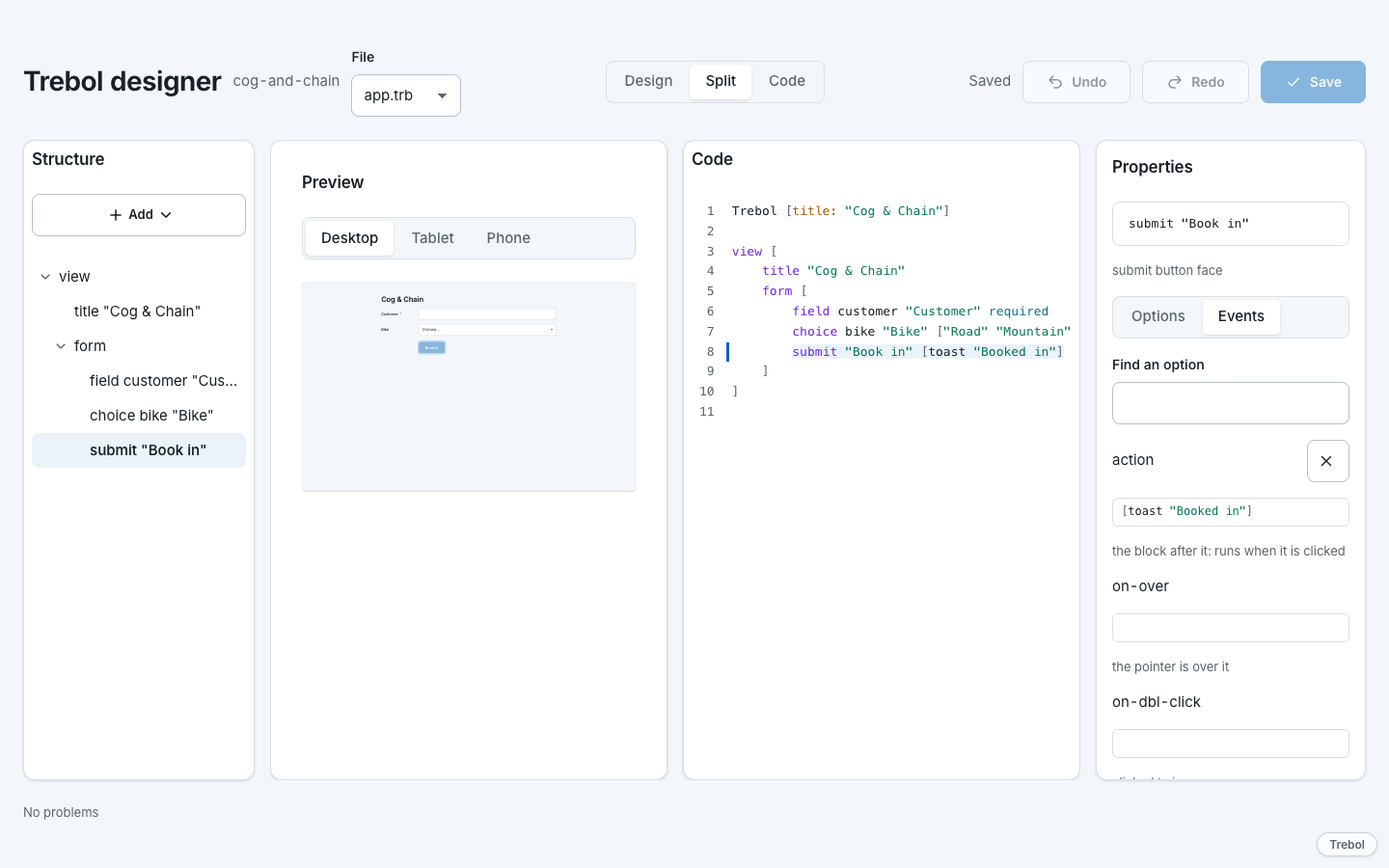
The code becomes submit "Book in" [toast "Booked in"], and the counter is the one of the second tutorial’s
first pages:
Trebol [title: "Cog & Chain"]

view [
    title "Cog & Chain"
    form [
        field customer "Customer" required
        choice bike "Bike" ["Road" "Mountain" "City" "Child's"]
        submit "Book in" [toast "Booked in"]
    ]
]
The preview does not run the program: it shows how the screen looks, not what it does. To press the button, run
the app itself, with npx trebol dev in the folder, as in the second tutorial.
The other events
After the action come the events the face’s style fires, each with a line that says when: on-change (its
value changed), on-focus (it took the focus), on-key (a key was pressed while it has the focus),
on-over (the pointer is over it), and so on. A face lists only the events of its own style: a field has
on-change, a button has not.
Type a block in one, [toast "Changed"] in the on-change of the customer field, and the code gets
on-change [toast "Changed"] after the face. The events a face answers to already come first, each with a
× that takes it out; emptying its box does the same.
What a block has at hand depends on the event: in on-change the new value is value, in the on-select of a
table the row chosen is row. The reference says what each event gives.
Find an option narrows the events too: sel leaves on-select.
The view’s events, and a screen’s
The view’s events are those of the whole window: on-key gets the keys no face takes, on-find what is asked
in the palette (Ctrl+K). A screen of an app, on the next page, adds on-enter and
on-leave, run when the app goes to it and leaves it.
A tab or a step has no events of its own: its faces have them.
What’s next
One screen is not a shop. The next page gives Cog & Chain its screens.