7. The code
The designer keeps no design of its own: the text of the file is the design. What you do in the structure or the properties rewrites the text, and what you write in the text changes the structure and the preview. Go from one to the other whenever you like.
What it changes and what it keeps
A change rewrites only the text it is about. A new label replaces the old string and nothing else; a face added gets a line of its own, indented as the faces beside it, or goes beside the last face of a block written on one line; a face that moves takes its comment with it; a face that goes takes its line. Your comments, blank lines, spacing and order stay as you wrote them, and nothing outside the views is touched.
Writing by hand
Choose Split to see the code beside the preview, or Code to give it the whole middle. Type as in any editor: the structure, the preview and the properties follow as you type.
Putting the cursor in a face chooses it: the innermost face written around the cursor. With the cursor in a field of a form, the field is chosen, not the form.
Some things are written by hand only. A value worked out when the program runs, as a text made with compose
and parentheses, is kept as written, but no property changes it: change it in the code.
Problems
Two kinds of problem show.
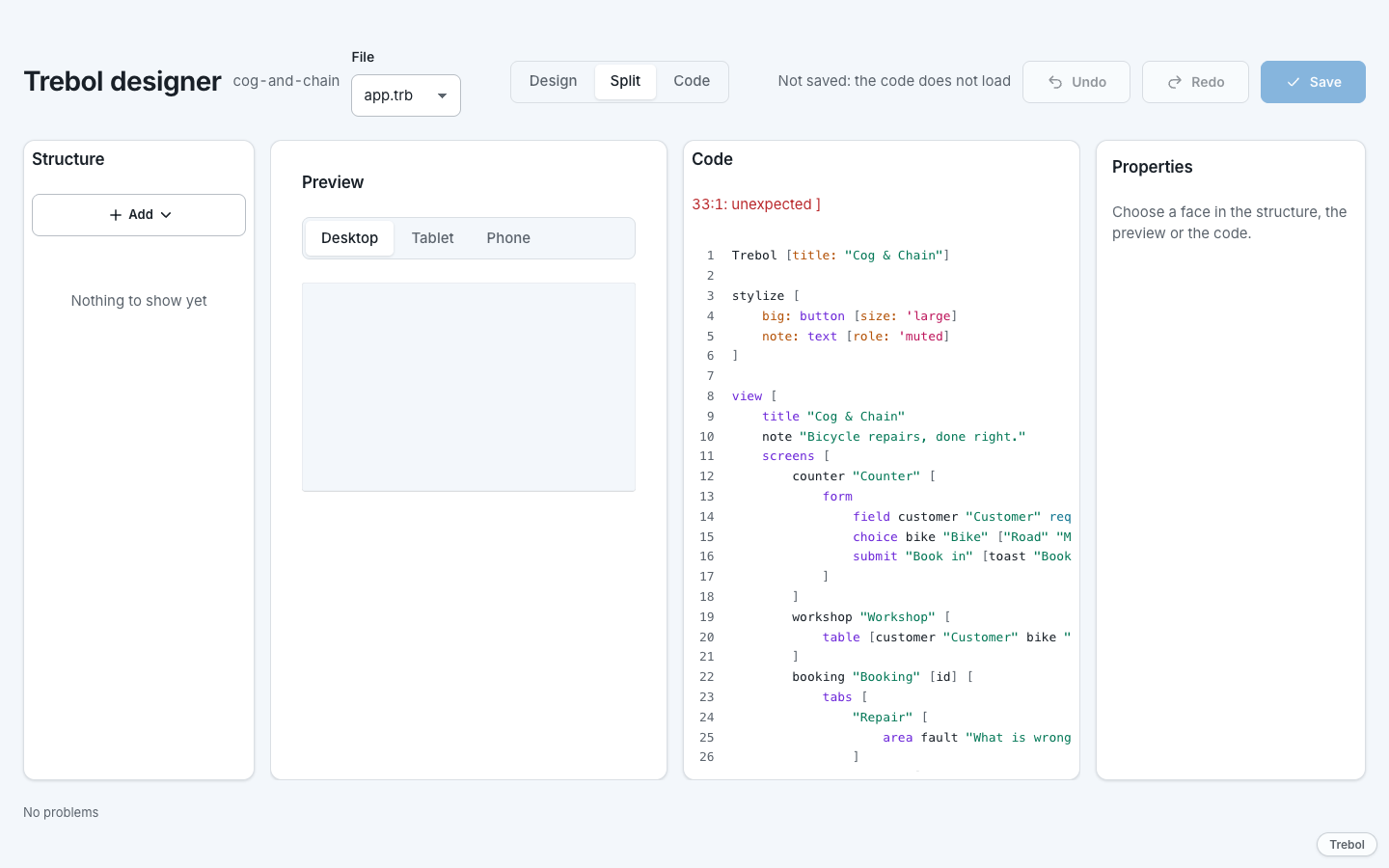
The code does not load. A bracket or a quote is missing, and the text is not Trebol yet. The top of the window
says Not saved: the code does not load, the code says where and why in red (8:6: missing ]: the block that
opens on line 8, at column 6, is not closed), and Save waits until it loads again. While you type, the
structure and the preview keep the last design that loaded, so nothing jumps around; a file opened that does not
load shows none until it does.
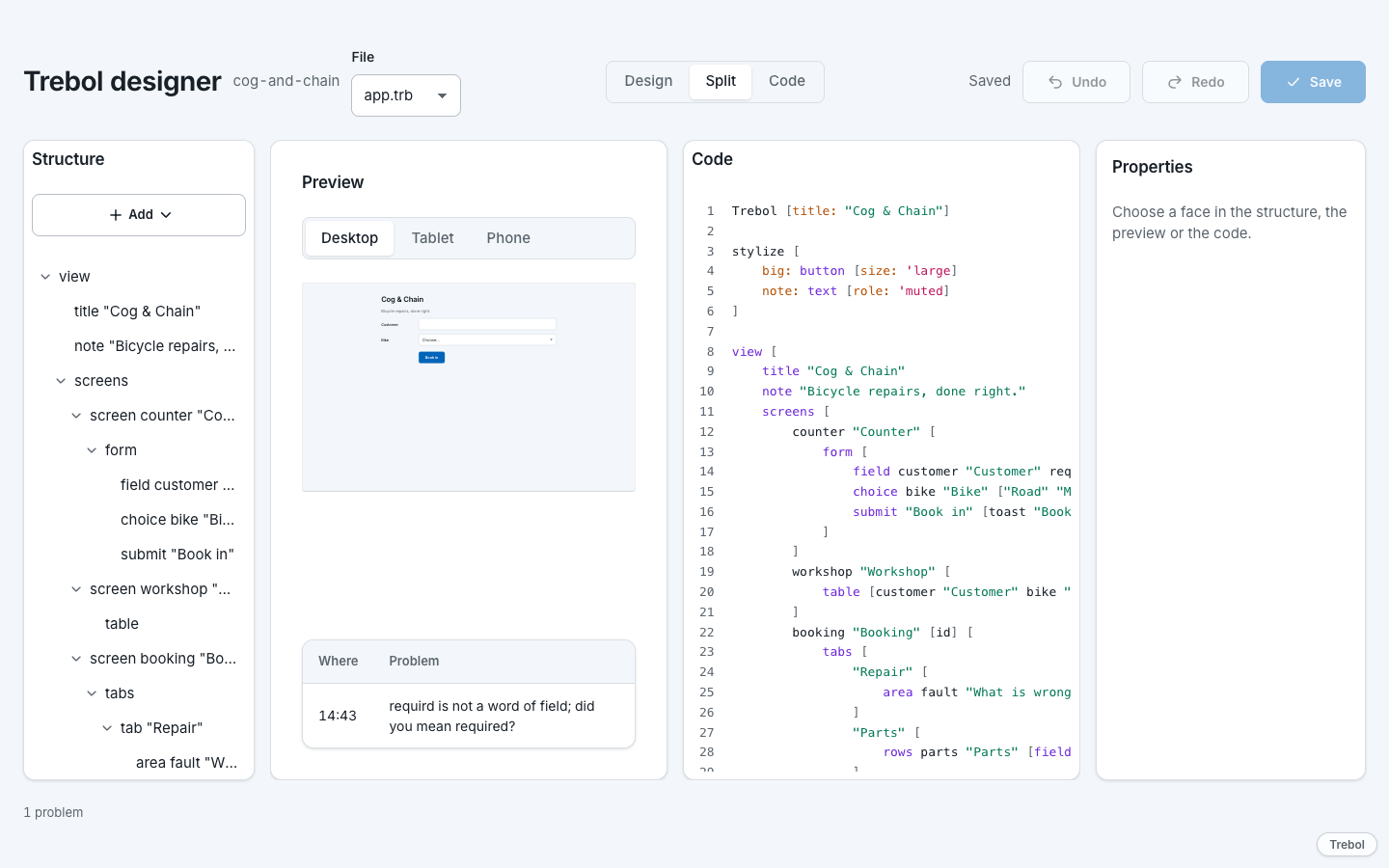
A face has a problem. The code loads, but something in a view is wrong: a word a style does not take, an
icon Trebol does not have, a block where a text goes. A table under the preview gives each problem the line and
column it is at, and the bottom of the window counts them. They are the problems trebol check finds, as the page
when it goes wrong of the second tutorial tells; the file can be saved with them.
Saving
Save writes the file. Changed says there is something not saved. Choosing another file in File while this one has changes asks whether to leave them; saying no stays on the file.
The file may change outside the designer while it is open, in another editor or by git pull. Save then
does not write over that change: it asks first. Yes writes your version over it. No reads the file again, and
one Undo brings back what you had, to keep working on it or to save it after all. The file is always written
whole, so an editor reading it at the same time never sees half of it.
Undo and Redo, beside Save, take back the last change and bring it back again, one at a time, whether it was made with the mouse, in the properties or in the code. Ctrl+Z undoes and Ctrl+Shift+Z or Ctrl+Y redoes (⌘ on a Mac); in a box of the properties they undo what is typed in that box, as in any text box, and in the code they undo the code as the rest. Each file keeps its own, while the designer is open; leaving a file without keeping its changes leaves what undoes them too. Saving keeps them: what was saved can still be undone.
On a web page
The designer also runs on a page with no project behind it, as on trebol-lang.com. It then opens a sample project, and Save downloads the file.